
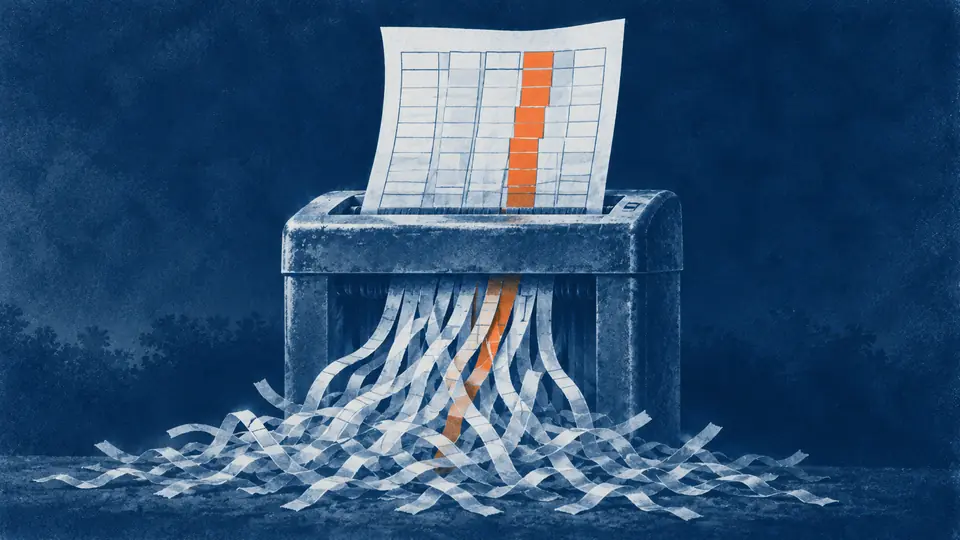
When a retrieval-augmented system gives a wrong answer about a scanned contract or a faxed claim form, teams usually start by tuning retrieval: a different embedding model, a larger top-k, a reranker. Those help when retrieval is the problem. On scanned documents it usually isn't. The answer was damaged before it was ever embedded. The table was flattened into a stream of numbers, the checked box was dropped, the handwritten correction was read as noise, and the chunker cut the page wherever the token counter said to.
Researchers have started to measure this directly. OHRBench, a benchmark built to trace how OCR errors cascade into RAG, separates semantic noise (wrong characters) from formatting noise (broken table and formula structure) and reports that RAG quality falls as either grows. The practical lesson is to fix and measure the parse first. Here is where it breaks.
Tables: the reading-order trap
OCR engines emit text in reading order. For a table, that means row by row at best and column by column at worst. A plan's benefit grid comes out like this:
Service In-network Out-of-network MRI $250 copay 40% after deductible
Physical therapy $35 per visit Not covered Emergency room $350 copay $350 copay
That chunk retrieves well, since it contains "MRI," but the generator has to guess which figure belongs to which column. On a two-column grid it often guesses right. On a rate schedule with merged headers, footnote markers and a continuation onto the next page, it guesses wrong and sounds certain.
The fix is table structure recognition: detect the table, recover rows, columns and spanning cells, and emit structure rather than a text stream. Open tooling does this now. Docling, an MIT-licensed converter, pairs a layout model trained on DocLayNet with the TableFormer structure model. Then store each table twice:
- As HTML or Markdown, for display, citation and the generator's final read.
- As row records with headers repeated, so each row can be retrieved on its own:
Plan: Silver PPO | Service: MRI | In-network: $250 copay | Out-of-network: 40% after deductible.
For tables that continue across pages, carry the header row forward explicitly. Measure with TEDS, the tree-edit-distance metric introduced with PubTabNet (568k table images), on 30 to 50 tables hand-annotated from your own documents. Public benchmark scores don't transfer to your rate sheets. Look at the distribution, not the mean: a parser that averages well but fails the three table layouts your users actually ask about has failed.
Forms: the field is the unit
A form is a database record drawn on paper: label, box, value, checkbox, signature line. OCR reads "Prior authorization obtained? ☐ Yes ☐ No" and keeps the words while losing which box is marked. An unchecked box is information too, and a retrieval index can't recover it later.
Extract forms to a schema per form type and version (the revision date in the footer matters, because field positions move between revisions). Each field gets a name, a value, a checkbox state where relevant, a confidence score and page coordinates. Index the fields as structured records and also as a short text rendering, so both filters and semantic search work.
Measure field-level precision and recall on 100 hand-keyed forms per type, and report checkboxes separately. They are the field most likely to fail without any visible error.
Handwriting, stamps and marginalia
The most important fact on a page is often handwritten: the adjuster's note in the margin, the corrected weight on a bill of lading, the "RECEIVED" stamp with a date that starts a regulatory clock, the physician's initials on an order. Printed-text OCR either skips these or turns them into confident nonsense like Rcvd 3/1?/25 JM.
Handle them as their own class:
- Detect handwriting and stamp regions separately from printed text.
- Run a handwriting-capable recognizer and keep its confidence score.
- Below a threshold, insert a typed marker such as
[handwriting: low confidence, p.3, region 2]instead of guessed text, so the generator knows something is there and doesn't invent it. - Send high-value regions (dates, amounts, whether a signature is present) to human transcription.
Report character error rate separately for printed and handwritten text. A blended rate hides the problem.
Layout: columns, page furniture, footnotes
Two-column layouts get read straight across both columns. Running headers and footers ("CONFIDENTIAL. Page 3 of 41") repeat on every page and land in every chunk, where they add noise to every embedding. Footnotes attach to the wrong paragraph.
Layout models help, and they still miss. DocLayNet contains 80,863 manually annotated pages across 11 layout classes, and its authors found models trained on it fell approximately 10% behind human inter-annotator agreement. Two cheap fixes go a long way: strip any line that recurs on more than half the pages of a document (and keep page numbers as metadata, not text), and resolve reading order per region before you concatenate anything.
Chunking: cut on structure, carry the context
Fixed-size windows split tables mid-row and separate a clause from the heading that says which section of which contract it belongs to. Retrieving more chunks to compensate doesn't work. In "Lost in the Middle," performance could drop by more than 20% when the relevant document moved from the edges of the context to the middle. With the answer buried mid-context among 20 or 30 documents, GPT-3.5-Turbo scored below its closed-book accuracy of 56.1%, the score it got with no documents at all.
Chunk on document structure instead:
- Split at section boundaries from the layout parse, never inside a table row or a form field group.
- Keep small tables whole. Split large ones into row groups with the header repeated.
- Prepend the heading path and document identity to every chunk before embedding.
That last step is cheap and measurable. In Anthropic's tests, adding chunk-specific context before embedding and BM25 indexing cut top-20 retrieval failures by 49%, and by 67% with reranking. A chunk record that carries its provenance looks like this:
{
  "chunk_id": "pol-2291-v4:p12:t2:rg1",
  "doc": {"id": "pol-2291", "version": 4, "type": "summary_of_benefits", "effective": "2026-01-01"},
  "element": "table_row_group",
  "heading_path": ["Section 3: Covered services", "Diagnostic imaging"],
  "page": 12,
  "bbox": [72, 310, 540, 402],
  "table": {"id": "t2", "headers": ["Service", "In-network", "Out-of-network"], "rows": [3, 4, 5]},
  "text": "Silver PPO, diagnostic imaging. MRI: in-network $250 copay; out-of-network 40% after deductible. CT scan: in-network $150 copay; out-of-network 40% after deductible.",
  "parse": {"engine": "layout+tsr", "engine_version": "2026.01", "table_teds_sample": 0.93, "handwriting": false}
}
Page images and vision-language models
Two newer approaches change the trade-offs. ColPali-style retrieval embeds page images directly and skips text extraction for search. Vision-language models now transcribe whole pages to Markdown and handle many tables better than classic OCR. Both are worth testing on visually dense documents.
Both also need guardrails. A VLM transcription can produce clean, plausible text that isn't on the page, and an invented number in a rate table is worse than a dropped one because nothing flags it. Cross-check every number and date in the VLM output against a second engine or the PDF text layer, and send disagreements to review. Image-only retrieval still needs text for citations, redaction and access control, so it complements a text pipeline rather than replacing it.
Measure the parse before you tune retrieval
Build a small parse evaluation set from your own documents, stratified by type, and score each layer separately:
| Layer | Metric | Sample |
|---|---|---|
| Printed text | Character error rate | 20 pages per document type |
| Handwriting | Character error rate, plus a human-check rate | 50 regions |
| Tables | TEDS, worst layouts reported separately | 30–50 tables |
| Forms | Field precision and recall, checkbox accuracy | 100 forms per type |
| Retrieval | Recall@k on questions with known answer locations | 100 questions |
| Answers | Expert-graded correctness | The same 100 questions |
When an answer is wrong, first search the parsed output for the expected value. If it isn't there, or it's there without its column header, no retriever change will help. That single check settles more debugging arguments than any other we know.
A checklist for scanned collections
- Inventory the collection by document type and measure the share of pages with no text layer, tables, forms and handwriting.
- Choose a layout-aware parser and pin its version in every chunk record.
- Store tables as structure and as header-repeated row records, and carry headers across page breaks.
- Extract forms to versioned schemas, with checkbox state as its own field.
- Mark low-confidence handwriting explicitly and route high-value regions to people.
- Strip page furniture and chunk on structure, with the heading path prepended.
- Verify VLM transcriptions numerically before indexing them.
- Score parse, retrieval and answers separately, and rerun the parse metrics whenever the parser or the document mix changes.
If you are deciding whether a document collection is worth this work, start with the parse and duplication tests in 12 tests for AI-ready data. Our document AI and RAG pipeline work begins with the same evaluation set, and large backfills of OCR and layout parsing run as computational data processing inside your own cloud.
Sources
- Zhong, ShafieiBavani & Jimeno Yepes, Image-based table recognition: data, model, and evaluation (2019)
- Pfitzmann et al., DocLayNet: A Large Human-Annotated Dataset for Document-Layout Analysis (2022)
- Liu et al., Lost in the Middle: How Language Models Use Long Contexts (2023)
- Anthropic, Introducing Contextual Retrieval (September 19, 2024)
- Zhang et al., OCR Hinders RAG: Evaluating the Cascading Impact of OCR on Retrieval-Augmented Generation (2024)
- Auer et al., Docling Technical Report (2024)
- Faysse et al., ColPali: Efficient Document Retrieval with Vision Language Models (2024)